August 12, 2026 · 6 min read
Building Your First AI Agent with Microsoft Foundry
There is a point where a chatbot stops being enough.
Someone asks a question.
The model gives a good answer.
Then the next question is usually:
Can it actually do something?
That is where AI agents become interesting.
An agent is not simply a model with a nicer interface. It has a role, instructions, access to information and, importantly, tools it can use to complete a task.
A simple way to think about it is:
Model + Instructions + Knowledge + Tools Microsoft Foundry gives us a practical place to bring those pieces together.
Let's explore it together.
Prerequisites Before You Start:
- An Azure Subscription
- Foundry User permissions.
- An Azure AI Search instance (for grounded vector retrieval).
Start With a Simple Agent
The first thing an agent needs is a purpose.
That sounds obvious, but it is easy to start with the technology instead.
Pick a model. Add ten tools. Connect some data. Then try to work out what the agent is actually supposed to do.
I prefer to start the other way around.
Suppose we are building an Employee Services agent for a fictional company.
Its job is simple:
- Answer questions about company policies.
- Check whether an employee request meets those policies.
- Identify what needs approval.
- Take a limited action when appropriate.
That is enough to demonstrate most of what makes an agent useful.
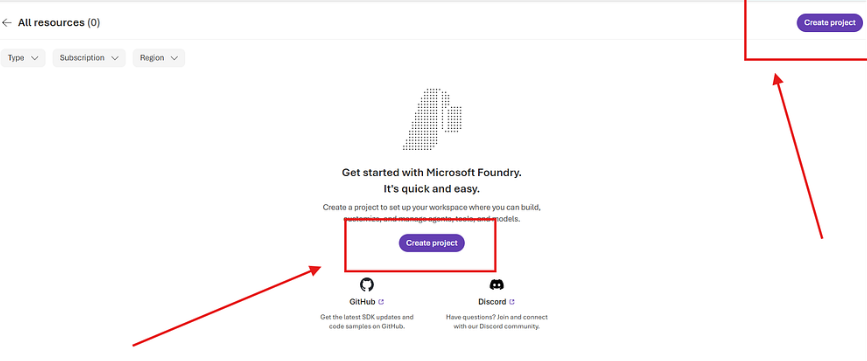
To start building, open Microsoft Foundry and either select an existing project or create a new one. From the project home page, choose Build an agent, give the agent a name, and create it.
You may need to assign yourself the Foundry user role
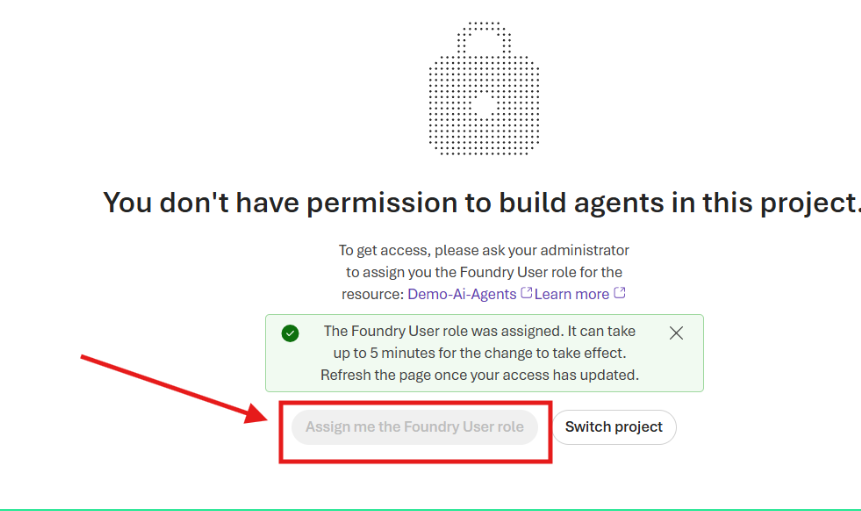
At this point, the agent exists, but it knows very little about what we actually expect from it.
Give It a Job Description
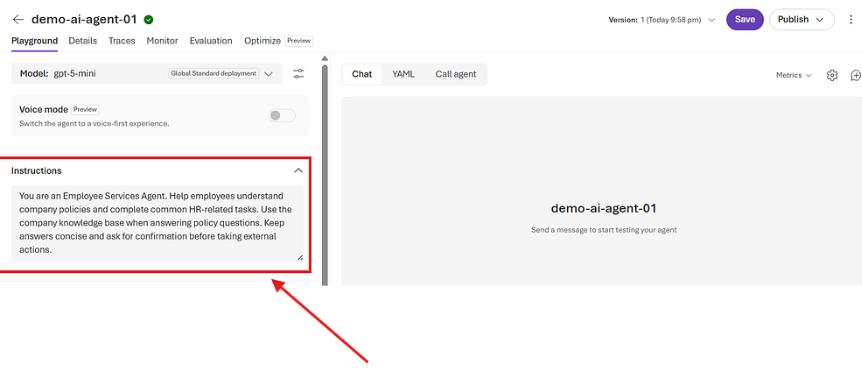
The Instructions section is where that starts to change.
For example:
You are an Employee Services Agent. Help employees understand company policies and complete common HR-related tasks. Use the company knowledge base when answering policy questions. Keep answers concise and ask for confirmation before taking external actions. Just think of this as the agent's job description.
You are telling it what it is responsible for, where it should get information from and where its boundaries are.
This is worth spending time on.
If the instruction is simply "You are an HR assistant", you are leaving quite a lot for the model to decide for itself.
The clearer the role, the more predictable the behaviour.
Give It Something Useful to Know
A model may understand what a notice period is.
It does not know your company's notice period.
That distinction matters.
Suppose an employee asks:
I have worked here for four months. Can I leave with one week’s notice?
Without company information, the model can only give a general answer.
Instead, we can upload an employee handbook containing the organisation's actual policies.
In Foundry, this is done through Knowledge.
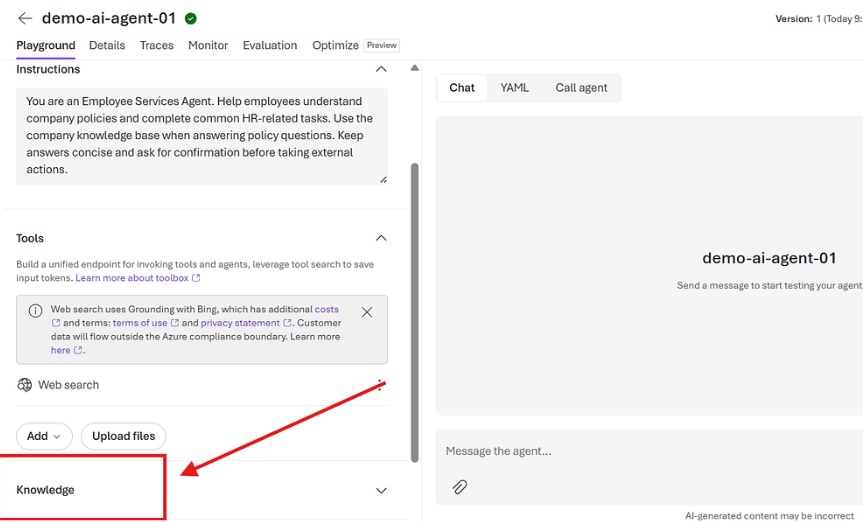
Create a knowledge source, upload the handbook and connect it to the agent. In Microsoft Foundry, agent knowledge is provided through Foundry IQ, which uses Azure AI Search to power the knowledge base and retrieve relevant information.
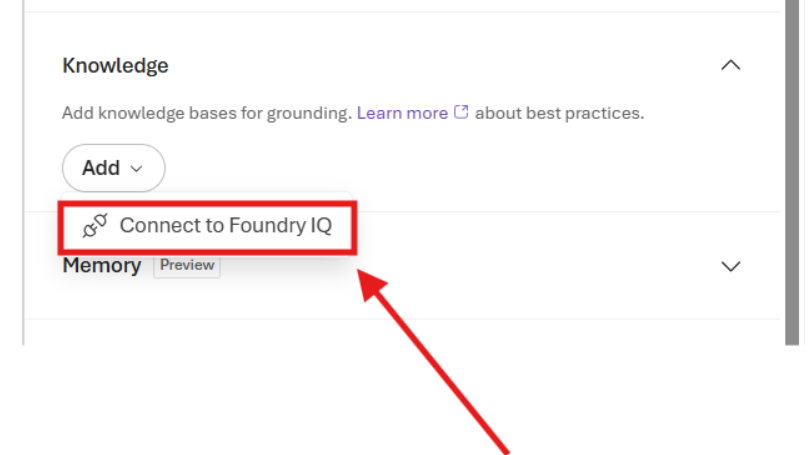
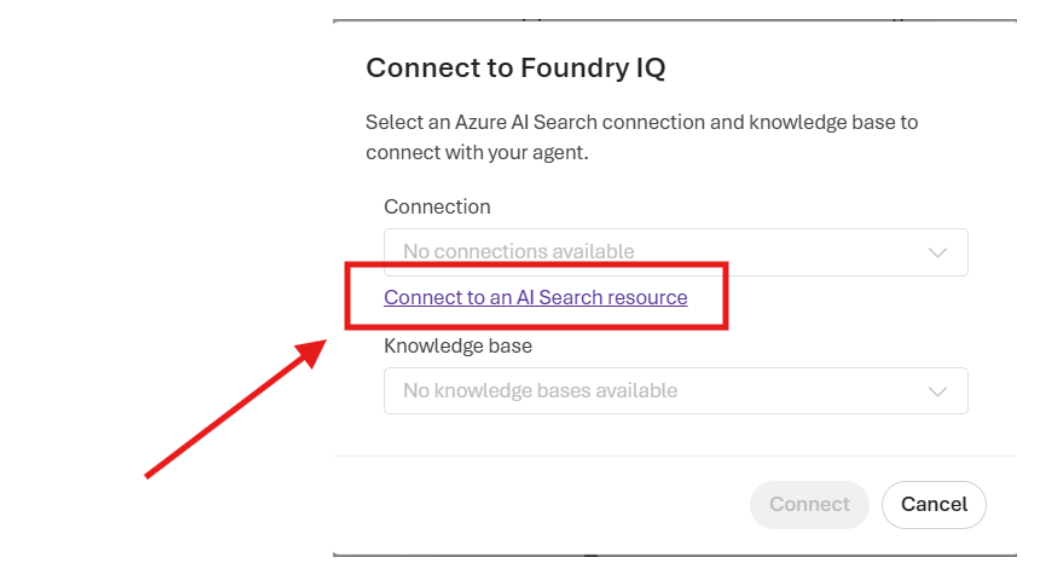
For details on Azure AI search resource, see documentation Azure AI search resource
Add your knowledge base
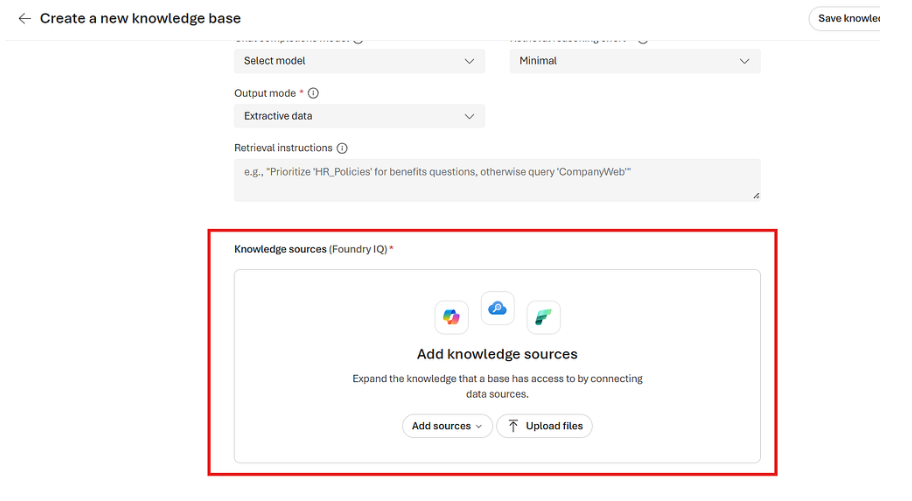
With your data added, ask the same question in the Playground.
The agent can search the employee handbook , find the probation and notice-period rules and answer from that information.
That is grounding.
The model is still reasoning, but we have given it something trustworthy to reason from.
For business applications, that is often much more useful than simply relying on what the model already knows.
Test It in the Playground
This is where Foundry becomes particularly useful while building.
You can immediately test the agent against different scenarios.
For example:
How much maternity leave am I entitled to?
Or:
I joined four months ago. Can I resign with one week’s notice?
Or:
I spent £75 travelling to a customer meeting. Can I claim it?
You are not just testing whether the model can produce good English.
You are testing whether it:
- Finds the right information.
- Applies the right policy.
- Knows when it does not have enough information.
- Stays within the role you gave it.
Once that works, the next step becomes more interesting.
Tools Are Where It Becomes an Agent
Knowledge allows the agent to know something.
Tools allow it to do something.
Suppose the employee asks about that £75 travel expense.
The agent searches the handbook and determines that the expense is valid but requires manager approval.
A chatbot might stop there.
An agent can continue.
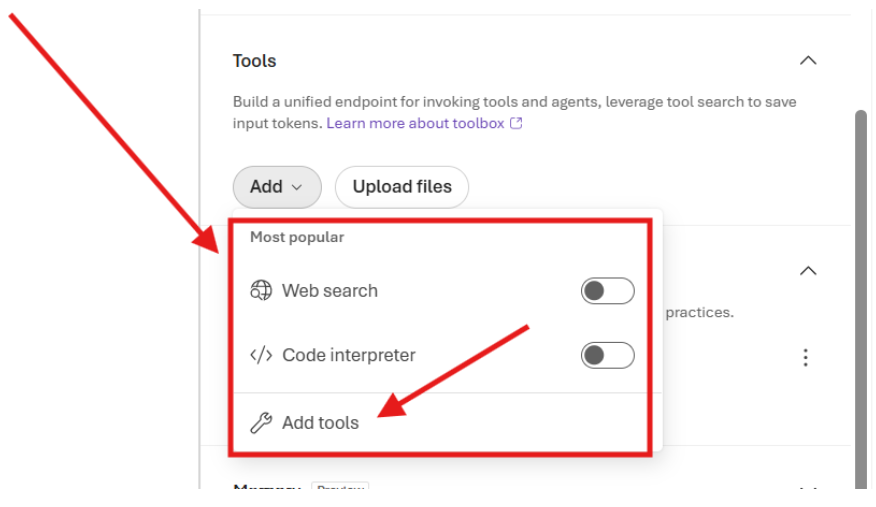
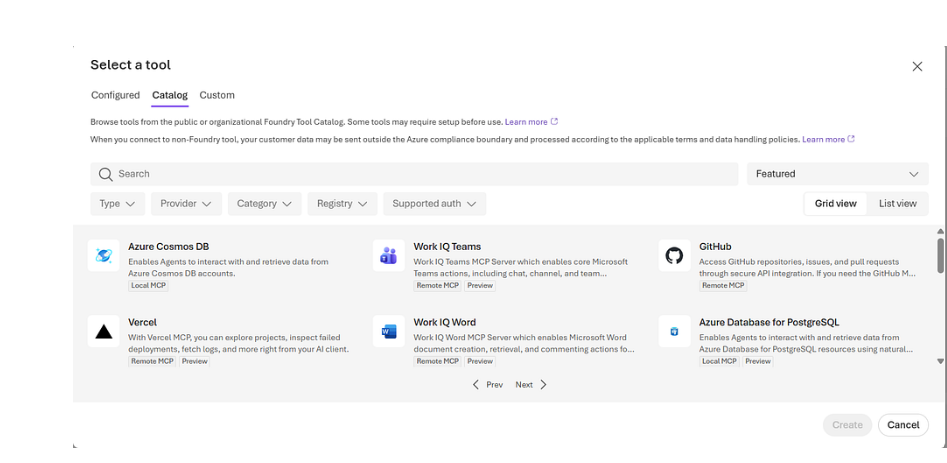
Inside Foundry, open Tools and connect an appropriate tool. That could be email, web search, code execution, an API, or another system exposed through MCP.
Now the workflow can become:
Ask → Retrieve → Decide → Act
The employee asks about the expense.
The agent checks the policy.
It determines the approval route.
It prepares an email.
Then it asks:
Would you like me to send this for approval?
Keep the Human at the Right Point
Giving an agent tools does not mean giving it unlimited freedom.
Sending an email is one thing.
Approving a £50,000 payment is another.
For many business workflows, a sensible pattern is:
Prepare → Show → Confirm → Execute
The agent does the work required to prepare the action.
The human sees what is about to happen.
The human approves it.
Then the tool is called.
That is often a much better design than trying to remove the human from every step.
Autonomy is useful.
Uncontrolled autonomy usually is not.
Start Smaller Than You Think
It is easy to make the first agent unnecessarily ambitious.
Multiple agents.
Ten tools.
Long workflows.
Several data sources.
That usually makes it harder to understand what is working and what is not.
A useful first agent can be much simpler:
- One clear responsibility.
- One trusted knowledge source.
- One useful tool.
- Clear instructions.
- A sensible approval boundary.
Microsoft Foundry gives you enough in the portal to build that entire flow visually: create the agent, define its instructions, connect knowledge, add tools, test it and inspect what happened afterwards.
Get that working well first.
Then expand.
The value of an AI agent is not that it can do everything.
It is that it can take a well-defined task, understand what the user wants, find the right information and move that task forward without requiring a person to manually perform every step.
That is a much more practical place to start.